
How-to Guides
After First Launch, Do These Two Things
Change the default admin password, then decide whether to keep editing the product demo or clear demo content and start clean.
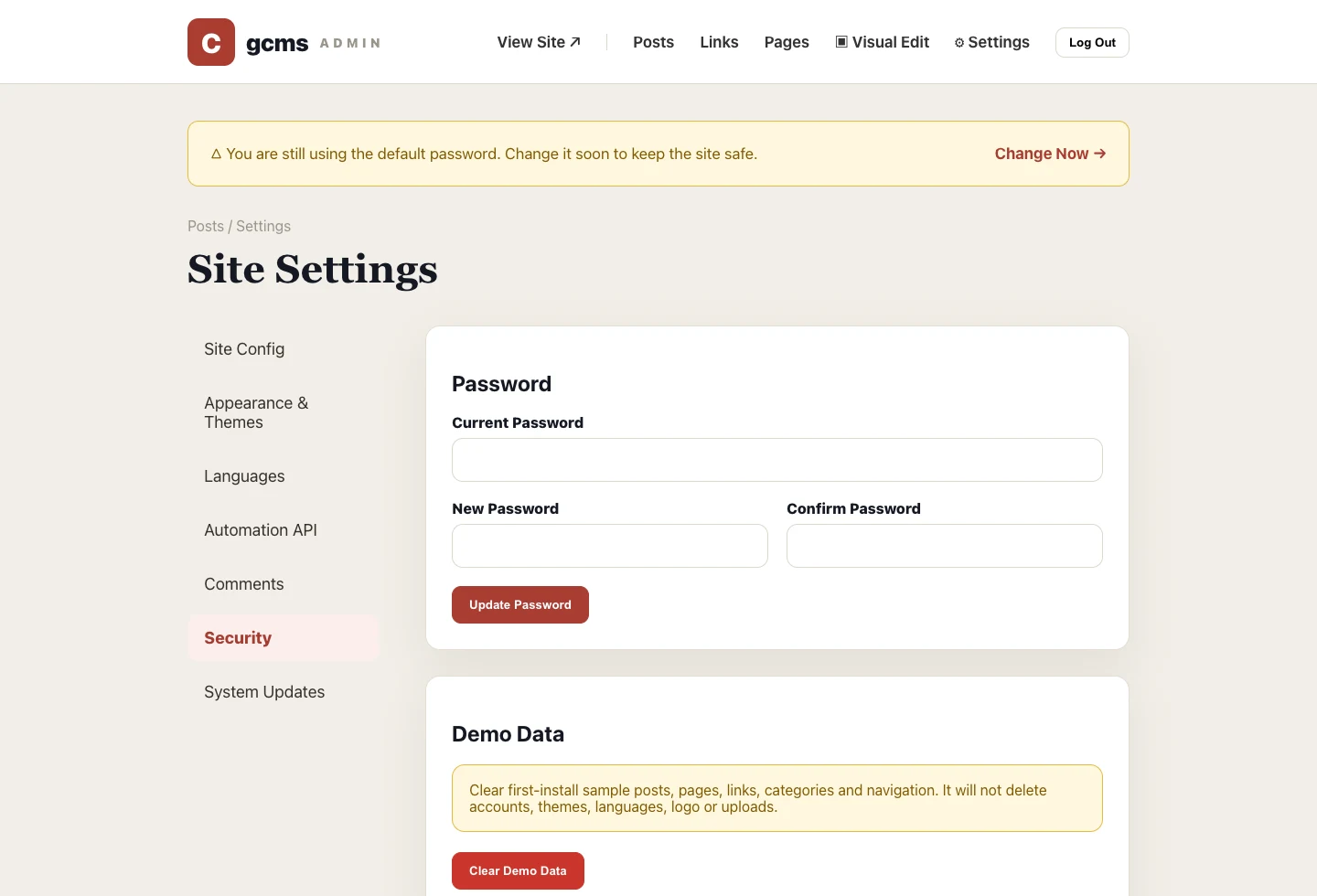
On first launch, gcms writes a complete product demo so you can see the full site. Before going live, the first task is not writing posts; it is cleaning up security and demo data.
First: change the default password
The default account is for first-run onboarding and must not stay in production. Go to Settings → Security, enter the current password and a new one. Save, then log in again to confirm.
Second: decide what to do with demo data
If you want to reshape the gcms product demo into your own official site, click Reload Product Demo. It restores the latest sample structure, then you can replace site name, navigation, posts, links and pages.
If your own content is ready, click Clear Demo Data Only. It removes built-in posts, pages, links, categories and sample navigation, but keeps the admin account, password, logo, uploads, theme and base settings.
Pre-launch checklist
- Default admin password changed;
- Homepage, About and Get Started pages no longer use demo copy;
- Resource links point to your own project entries;
BASE_URLis set to the production domain;- The SQLite database file is included in backups.
Demo data is scaffolding, not production content. Remove the scaffolding before launch.